Plugin Wrangler
Know what's on your Mac.
Know why it's there.
Then decide.
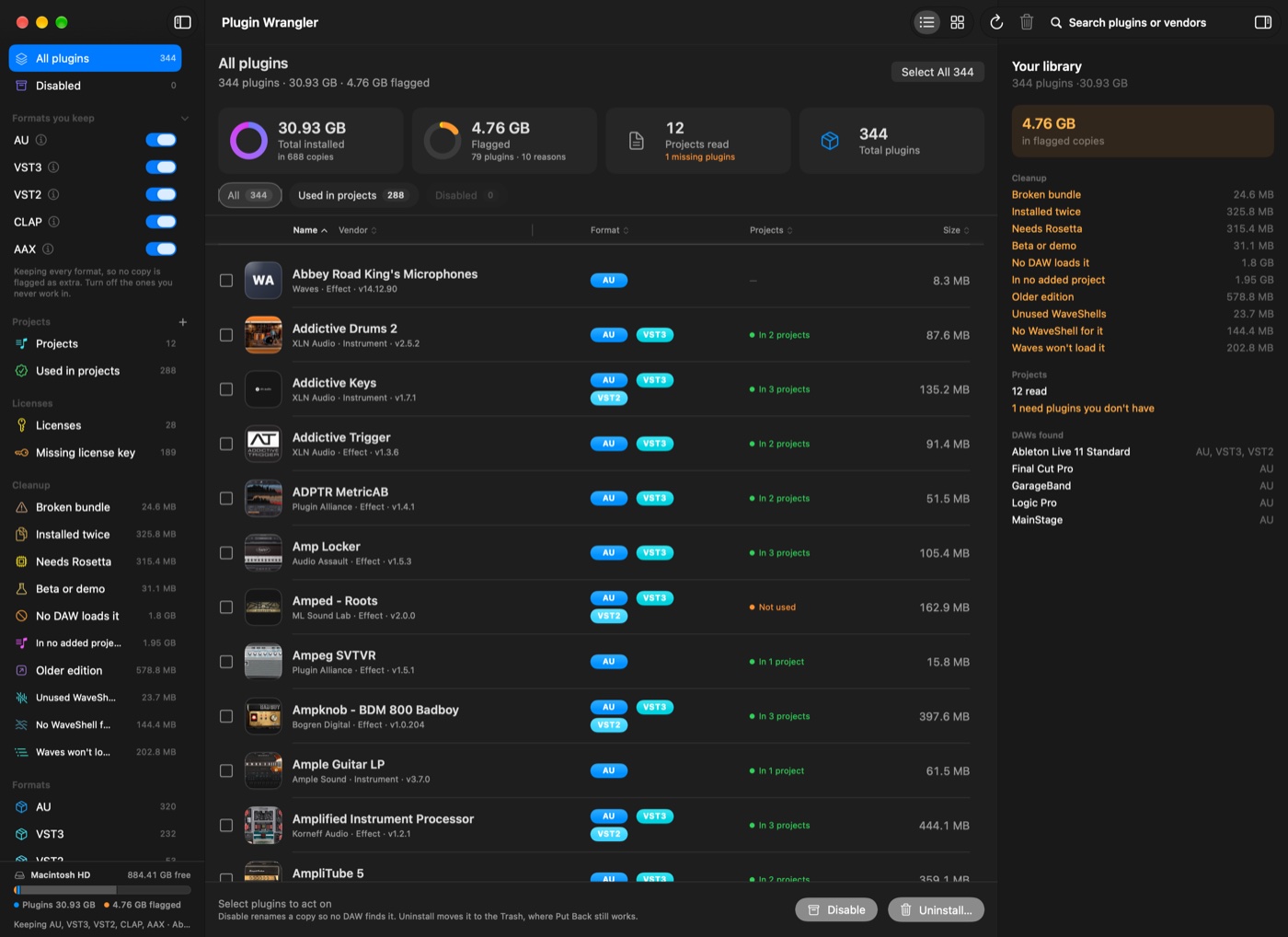
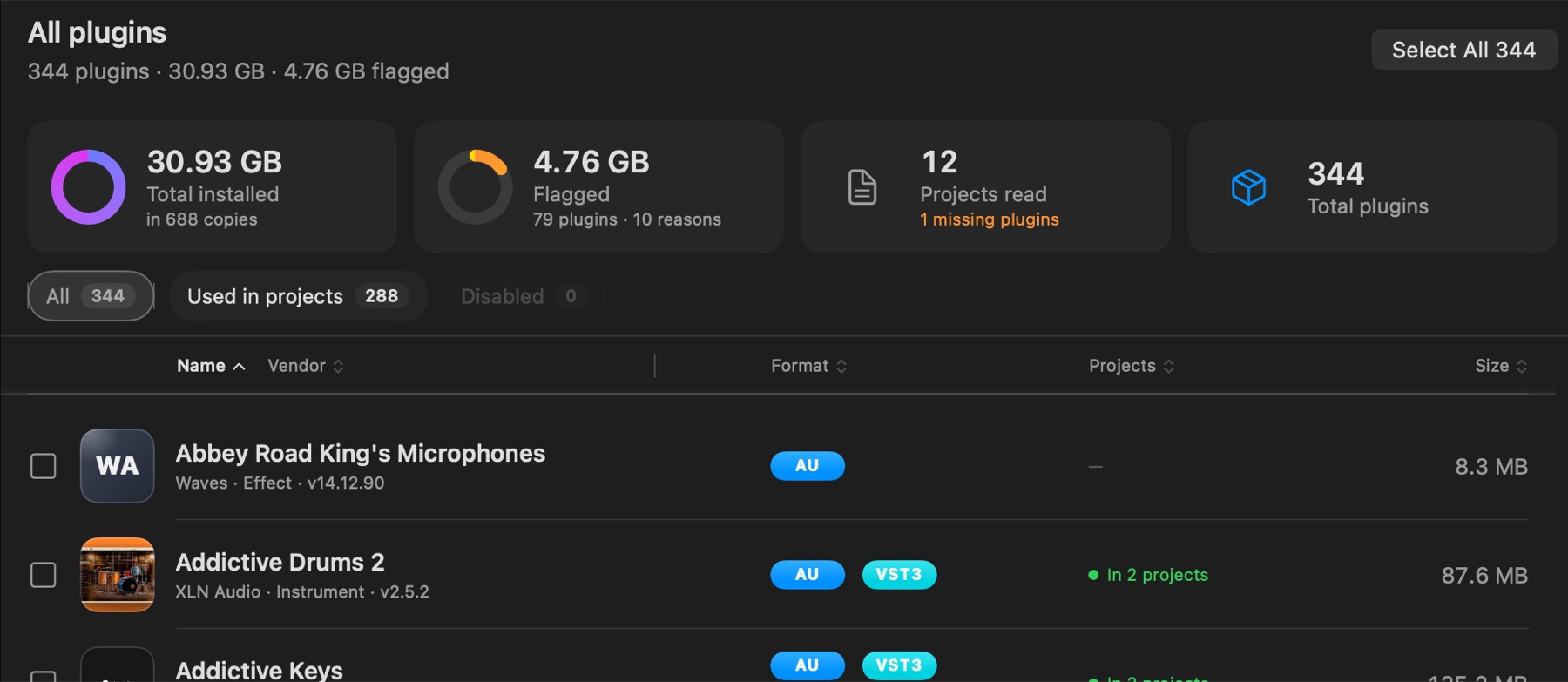
Every audio plugin you own, in one list — AU, VST2, VST3, CLAP and AAX. Plugin Wrangler shows which ones no DAW on your Mac can even load, which are extra copies of something you already keep, and which your sessions haven't touched. Every flag comes with the evidence behind it.
No account. No subscription. Nothing uploaded.
Launch price until Nov 1 $6.99 after that. One-time purchase. Free to scan; Disable and Uninstall work on 3 plugins without a license. macOS 14.4 or later.
It doesn't guess.
It shows you why.
One scan, and you know where you stand
What it actually does
The formats nothing here can load
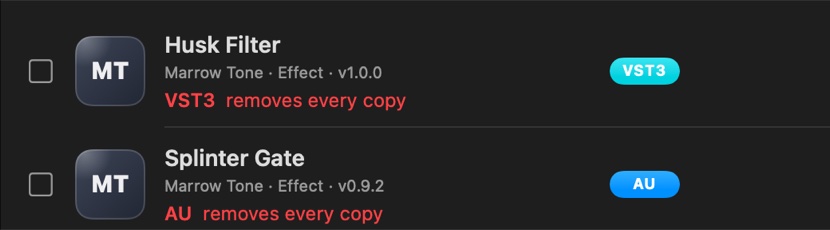
An AAX plugin loads in Pro Tools and nowhere else. A CLAP needs a host that loads CLAP. Plugin Wrangler checks which DAWs are actually installed on your Mac and what each one can load, then flags the copies that no host can open.
The view names the DAWs it found, so you can check the reasoning rather than trust it: "DAWs here: Ableton Live 11 Suite (AU, VST3, VST2), Logic Pro (AU)."

The same plugin, installed four times
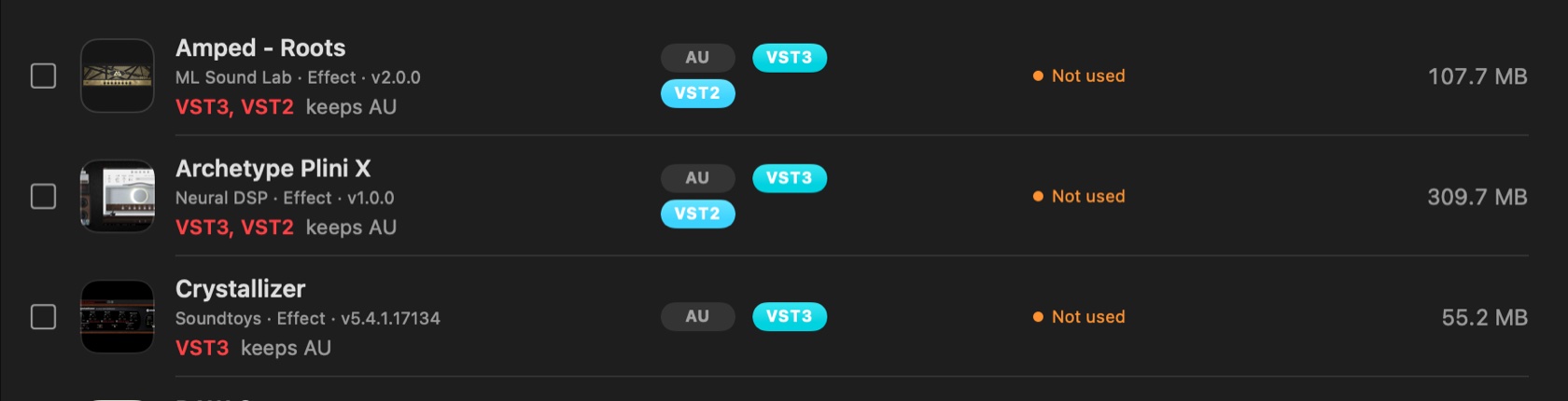
Most plugins install every format they support whether you use them or not. If you work in Logic, the VST3, VST2 and AAX copies are sitting there doing nothing — often gigabytes of sample content duplicated per format.
Every format is kept until you turn one off. Every row then says what removal would take, per copy: VST3 — keeps AU.
It reads your sessions
Point it at a folder of Logic projects and it reads what each one actually loads — every alternative mix included, because a plugin used in one is still needed to open the project.
Two answers come out of that. Which plugins your work depends on, so you never remove one by accident. And which have never been asked for, which is the only honest basis for calling something unused.
It also answers the question you have before a session opens: can this Mac open this project? Anything missing is listed, with the shortest real route to getting it back.
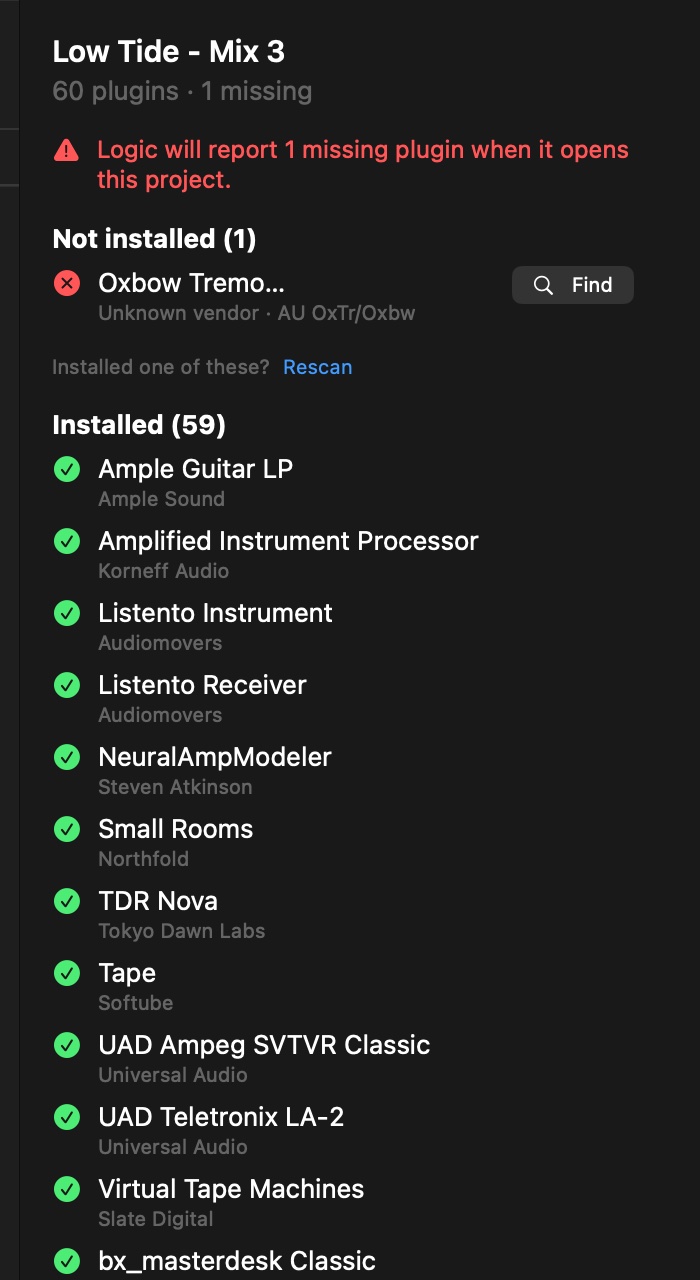
Set it aside before you let it go
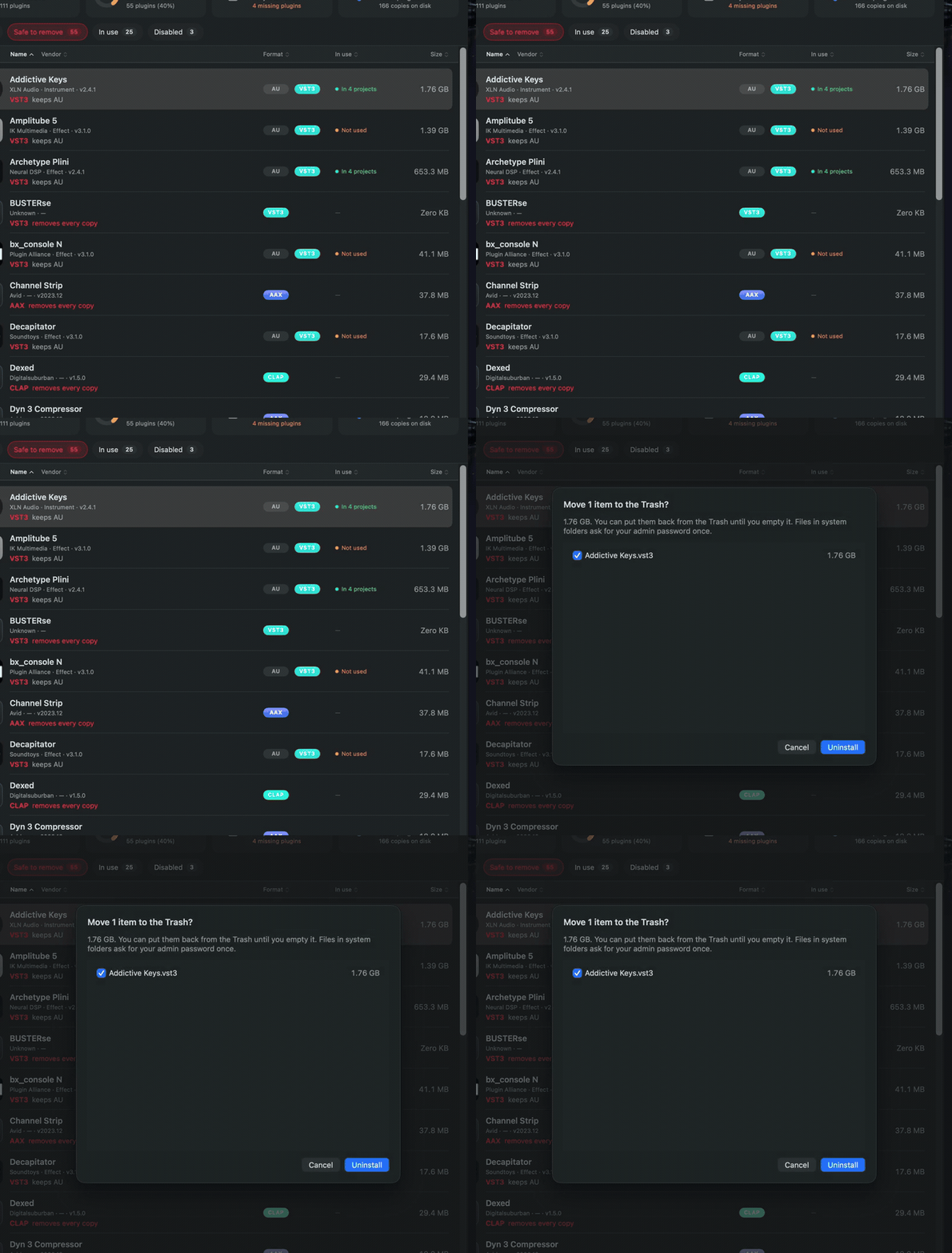
Not sure? Disable it. The file is renamed so no DAW can find it, and nothing moves. If a session turns out to need it, one click puts it back.
After the hold — thirty days by default — the app says the hold is up. What it tells you is exactly what it can prove: you never turned it back on, and no Logic, Live or Pro Tools project in the folders you added has asked for it. Uninstalling it is still your call.

Uninstall means the Trash
Before anything moves, a sheet lists every file by name and size. Nothing is deleted, ever — removal is the macOS Trash, so Put Back works until you empty it yourself.
This is the one thing the app refuses to compromise on. No private bin, no cleanup that happens while you're not looking, and no file leaves without being named on screen first.
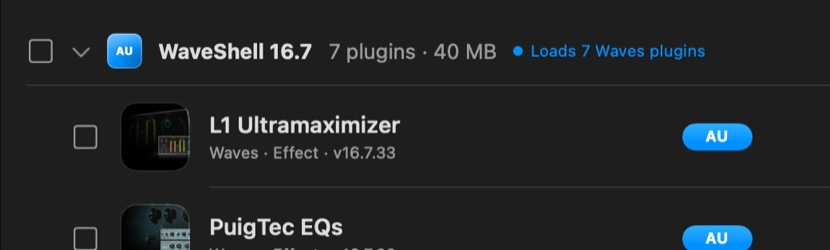
It knows how Waves works
Waves installs a shell per version, and each shell loads only the plugins built for it. An old shell isn't clutter — it's load-bearing if anything still uses it, and removing it breaks every one of them.
So shells are never flagged by age. Plugin Wrangler opens each one, lists what it loads, and flags only a shell with nothing left behind it.
The broken ones you'd never find by hand
A bundle with an empty executable. A Windows DLL sitting in your VST3 folder with the wrong extension. A plugin with no arm64 in it at all, quietly pulling Rosetta into your session.
These get read straight out of the file — the Mach-O header, the bundle structure — not guessed from a name.
Your license keys, beside the plugins they unlockNew in 2.29
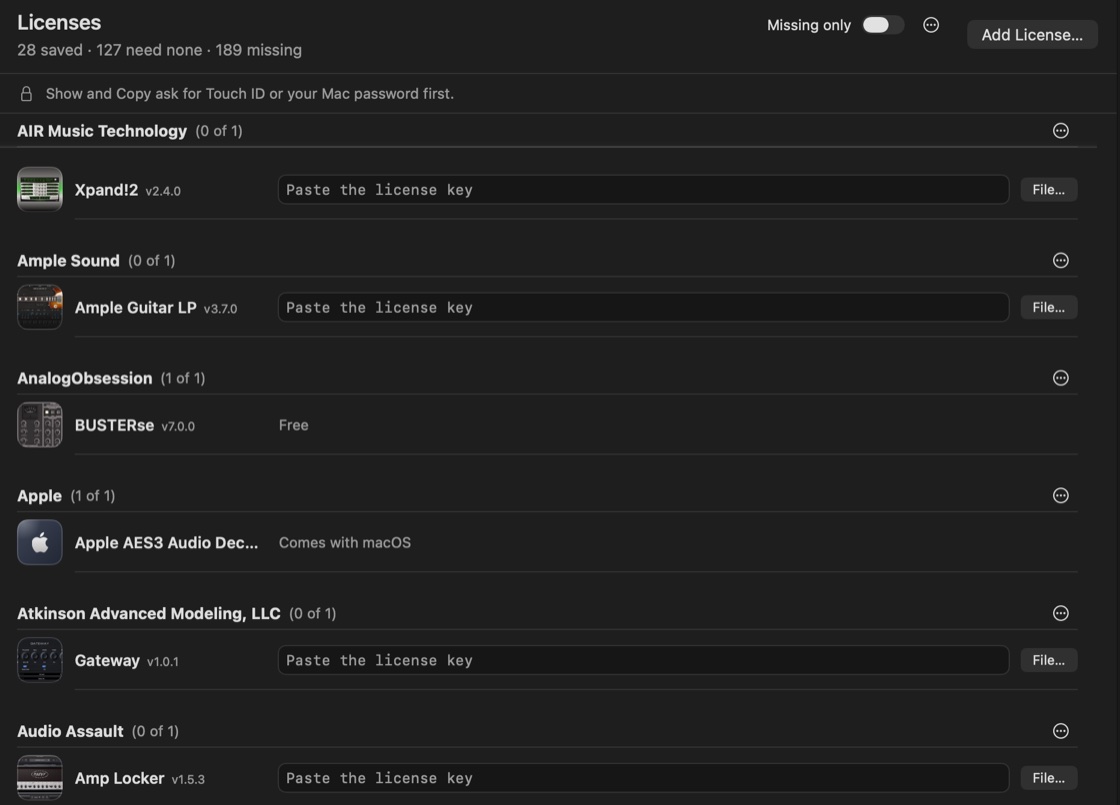
Licenses lists every plugin on your Mac by maker, each with a field for its key or serial number. Paste one and press Return, set a single key for all of a maker's plugins, or bring in a whole list: paste rows from a spreadsheet or choose a CSV, and you see every match before anything is saved. Key files work too; Plugin Wrangler keeps a copy and hands it back unchanged.
Keys go in your login Keychain, one entry per plugin, not in a file only Plugin Wrangler can read. Keychain Access shows them with or without the app, so you are never locked in. Show and Copy ask for Touch ID or your Mac password first.
Moving to another Mac? Export everything you've saved (keys, key files and notes) to one file that opens with your passphrase, and import it there. Nothing is uploaded.
Importing brings the keys over; it does not license the plugins on that Mac. Some makers tie a key file to one computer, and a lost passphrase cannot be recovered. Saving new keys and importing need a Plugin Wrangler license; what you've already saved is always free to see, copy, save out, export or remove.
Built for a studio Mac
A full library scan takes about half a second. Rescan after an installer and see what it put back.
It reads vendor files and local services. It never writes to them, and never touches a licence or copy-protection file.
No account, no upload, no telemetry. License keys you choose to save go in your login Keychain on this Mac, where they stay yours.
A real Mac app in Swift and SwiftUI. No frameworks bolted on, no helper running in the background.
What it doesn't do
Worth saying plainly, because a cleanup tool that overstates itself is exactly the kind you shouldn't run on a studio Mac.
- It doesn't install or update plugins. When something's missing it points you at the vendor's own installer — the one already on your Mac, where there is one.
- It doesn't price your library. There's no catalogue of what everything is worth; it reads what's actually on your disk.
- Sessions mean Logic, for now. Ableton and the rest are on the list. Until then it only claims what it can read.
- It won't decode a licence. UAD authorisations, iLok — it reads what those systems report and never goes near the files themselves.