
FCP Relay
Structure in.
Structure out.
Nothing lost between.
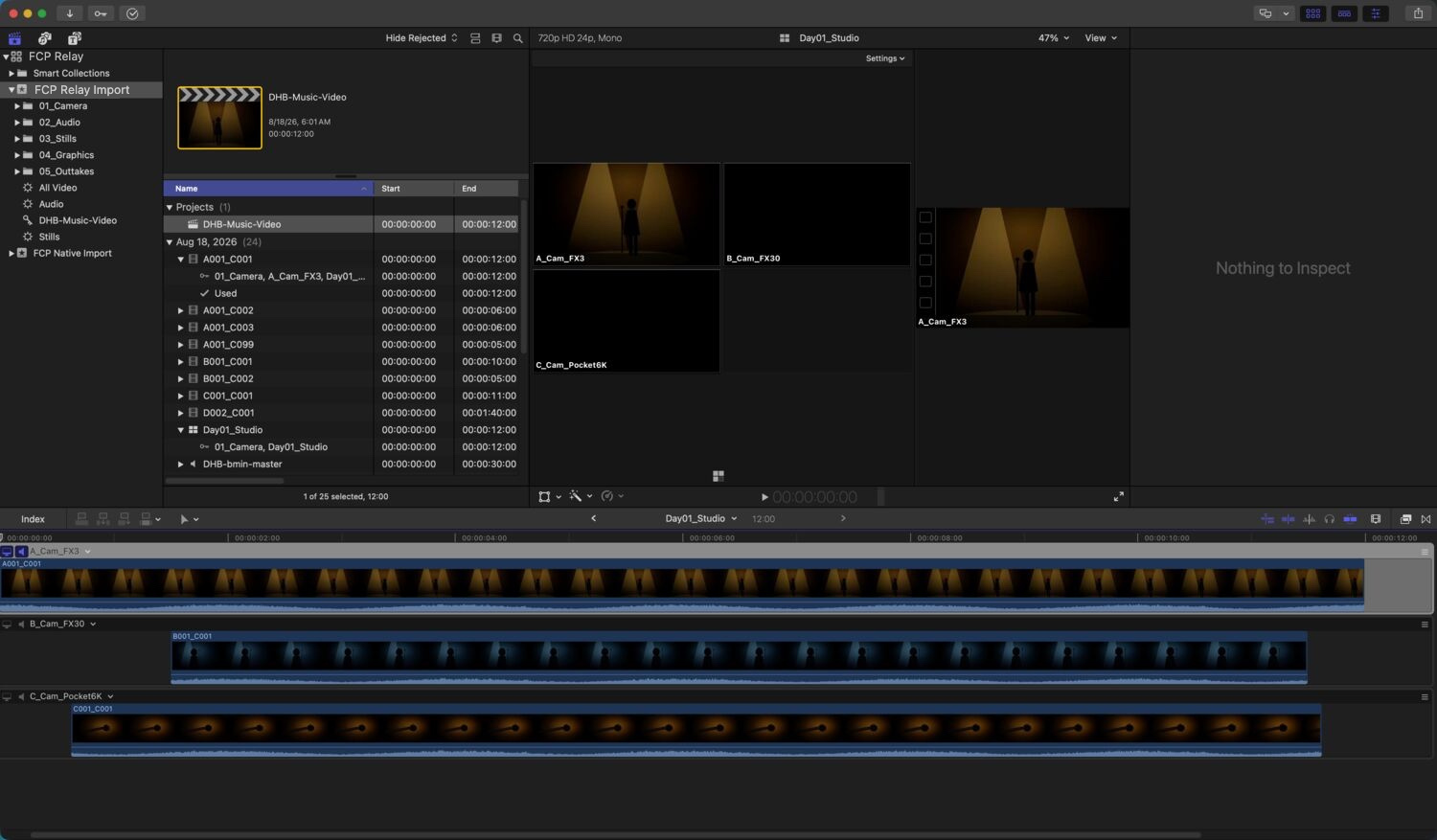
Bring your existing media organization into Final Cut Pro intact. FCP Relay turns your folder hierarchy into a working Final Cut event — preserving structure, referencing media in place, and building multicam clips along the way.
No account. No subscription. Nothing uploaded.
Launch price until Nov 1 $6.99 after that. One-time purchase. macOS 14 or later.
Your media never moves.
Your organization does.
One drop, and the event is built
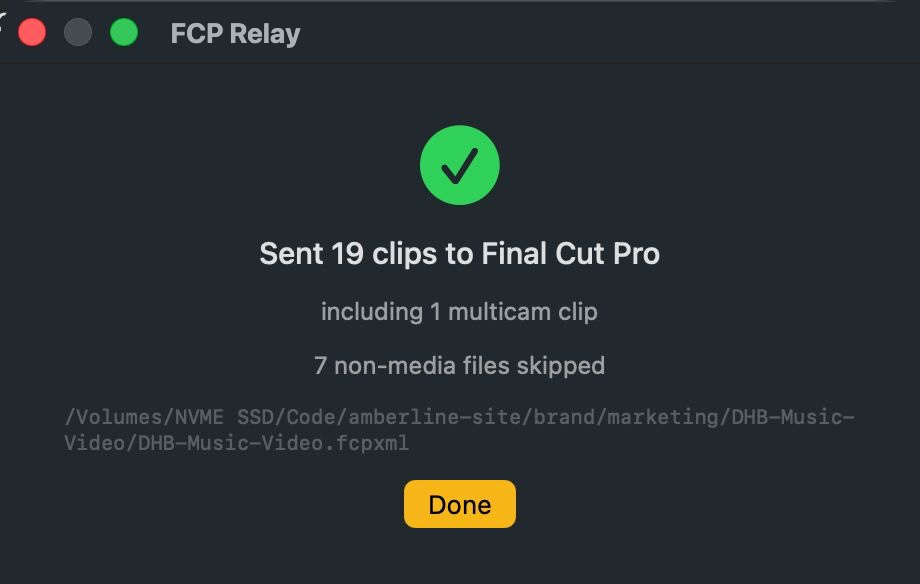
What it actually does
Your folders become Final Cut organization
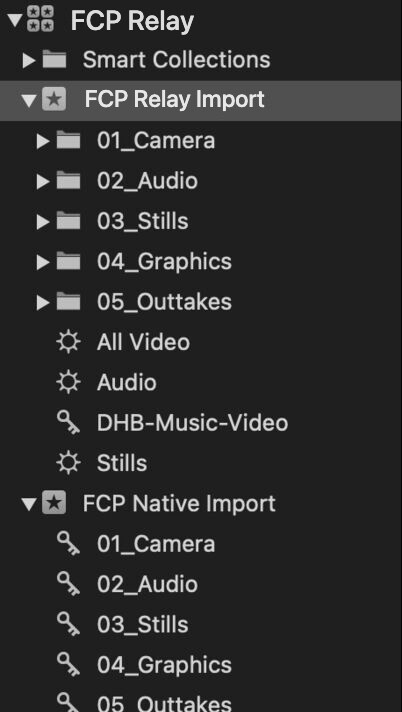
Final Cut's standard import gives you the media. FCP Relay brings the organization with it: it reads the hierarchy already on disk and recreates it inside the event.
Folders stay nested. Clips stay with the folder they came from. A large project is still understandable after import.
Same shoot, imported twice into one library. FCP Relay keeps five folders, still nested. The standard import lists every folder name flat.
You see it before Final Cut does
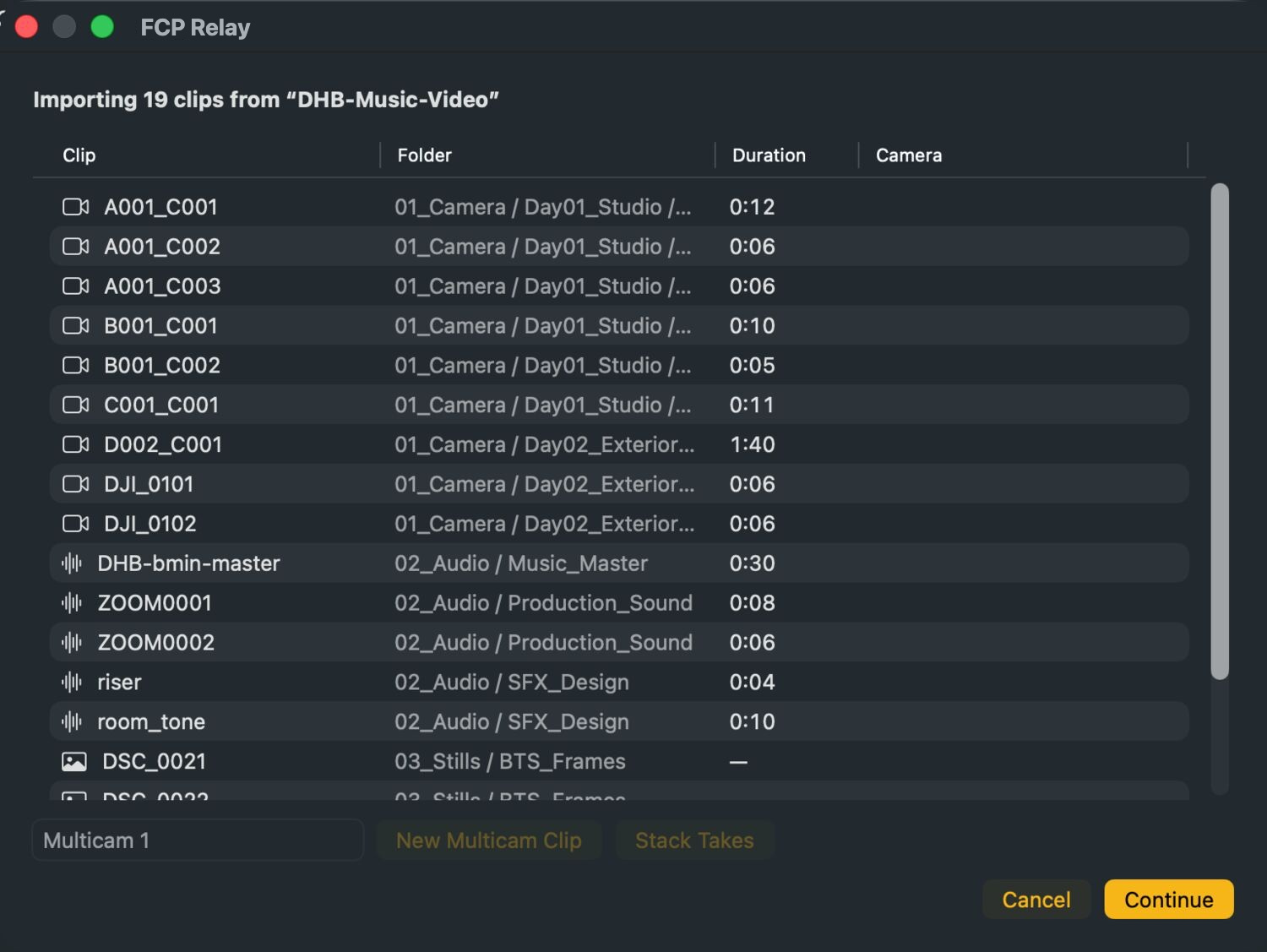
Drop in the project folder you already have. No staging folder, no renaming pass, no reorganizing your drive first.
FCP Relay lists what it found — each clip, the folder it came from, how long it runs — and nothing is sent until you say continue.
Camera groups arrive ready to cut
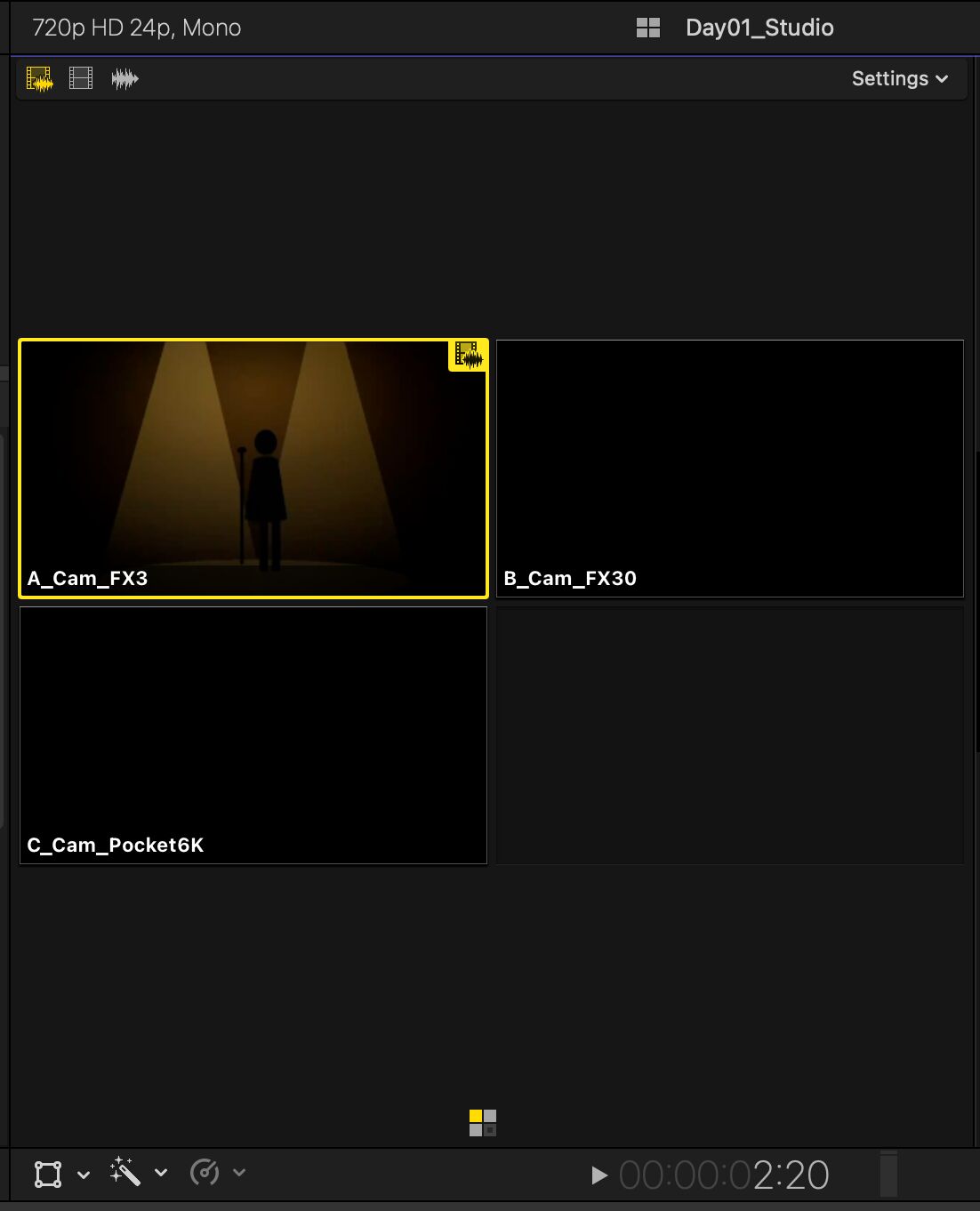
Select the clips that were rolling on the same thing and choose New Multicam Clip. FCP Relay lines the angles up by their audio and builds the multicam as part of the same import.
The finished multicam arrives inside the organized event with everything else, already loaded into the timeline of the project it creates.
It refuses to guess. Clips with no audio, or with nothing in common, are reported rather than lined up wrong.
Every take, stacked against the song
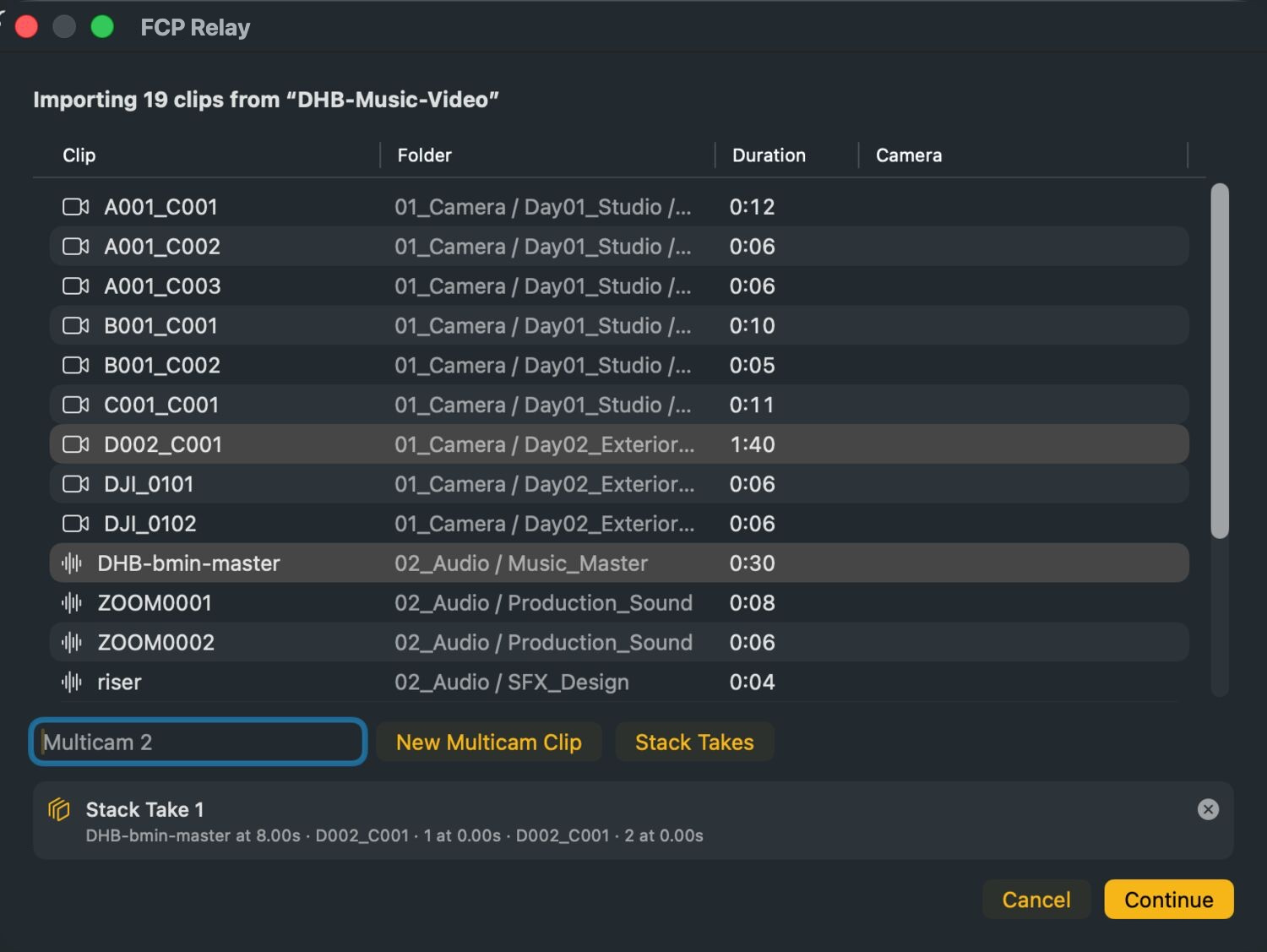
On a music video, one long camera file often holds several performances to the same playback. Select the reference track and the camera files shot to it, and choose Stack Takes.
Each stretch that matches the reference becomes its own angle, trimmed to where the performance actually starts. Anything with no match is reported as unmatched.
Not just imported. Final Cut native.
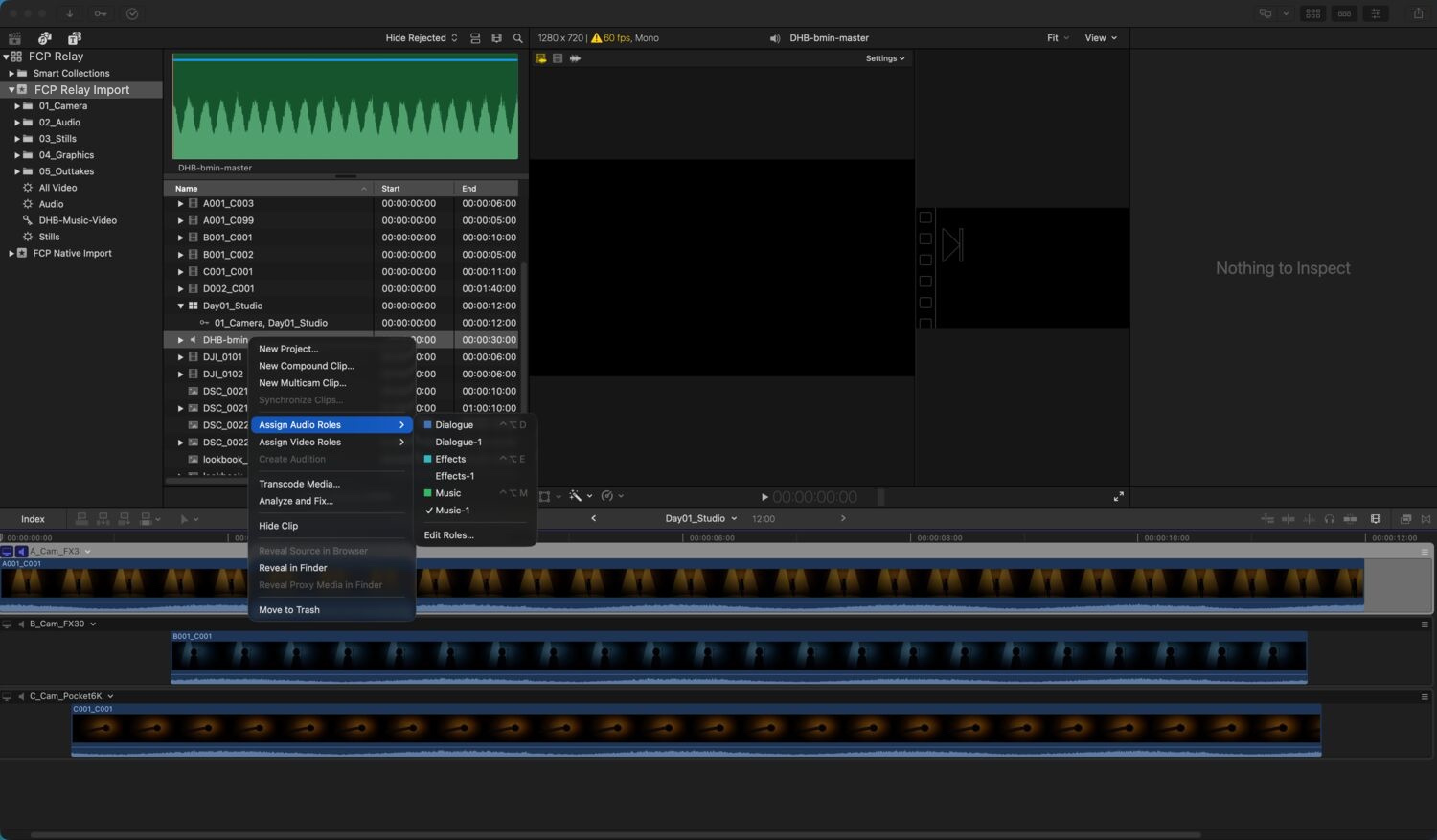
FCP Relay builds the structures editors actually work with, instead of delivering a loose pile of referenced media. All Video, Audio and Stills smart collections are added to the event. Audio roles are assigned from your folder names — Music, SFX, dialogue — so the timeline is colour-coded from the first cut. Capture date and camera are written onto each clip where the file carries them.
Media stays put
Your source media remains exactly where you put it. FCP Relay references the original files in place and builds the Final Cut organization around them.
No duplicate media, no surprise storage consumption, and no second folder structure to maintain.
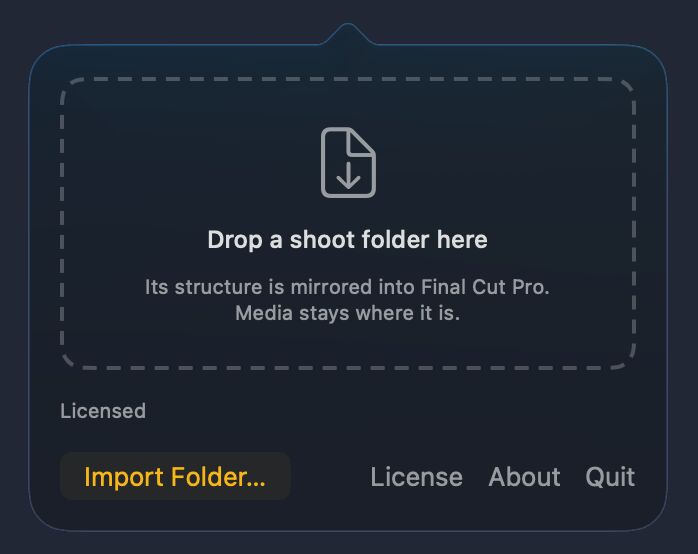
The app says so on its own front door: "Its structure is mirrored into Final Cut Pro. Media stays where it is."
Start from Finder
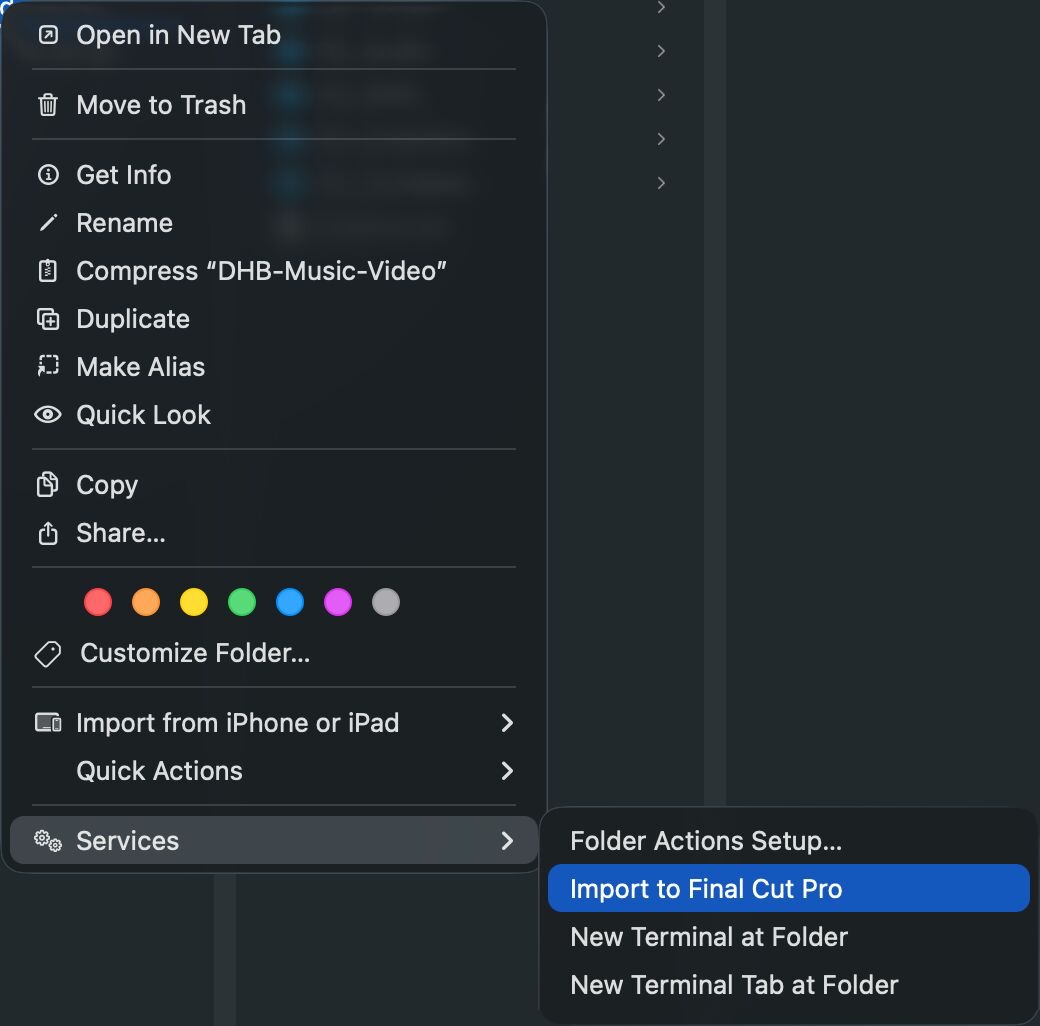
You don't have to open the panel at all. Right-click any folder, go to Services, and choose Import to Final Cut Pro. FCP Relay picks it up exactly as if you'd dropped it.
Built for real projects
Hand off organized projects without handing off a reconstruction job. The shared drive's hierarchy arrives in Final Cut with the same logic intact.
Large archives stay navigable. Years of footage come in without being reduced to one enormous clip list.
Turn camera folders into working multicams during import. Review the angles, group them, and cut.
Thousands of files, still organized. The hierarchy you use to classify and find media comes with it.
What it doesn't do
Worth saying plainly, so you find out here rather than mid-job.
- Empty folders don't appear. A folder with no media anywhere inside it isn't recreated in Final Cut — there'd be nothing in it.
- Two folders with the same name merge. Day1/Audio and Day2/Audio arrive as a single Audio collection. Unique names import exactly as built.
- It doesn't correct clock drift. Angles are lined up by their start point, the same as Final Cut's own sync.
- Final Cut only. No Premiere, no Resolve, no Avid.